We may earn an affiliate commission when you visit our partners.
Course image
Edward Falzon

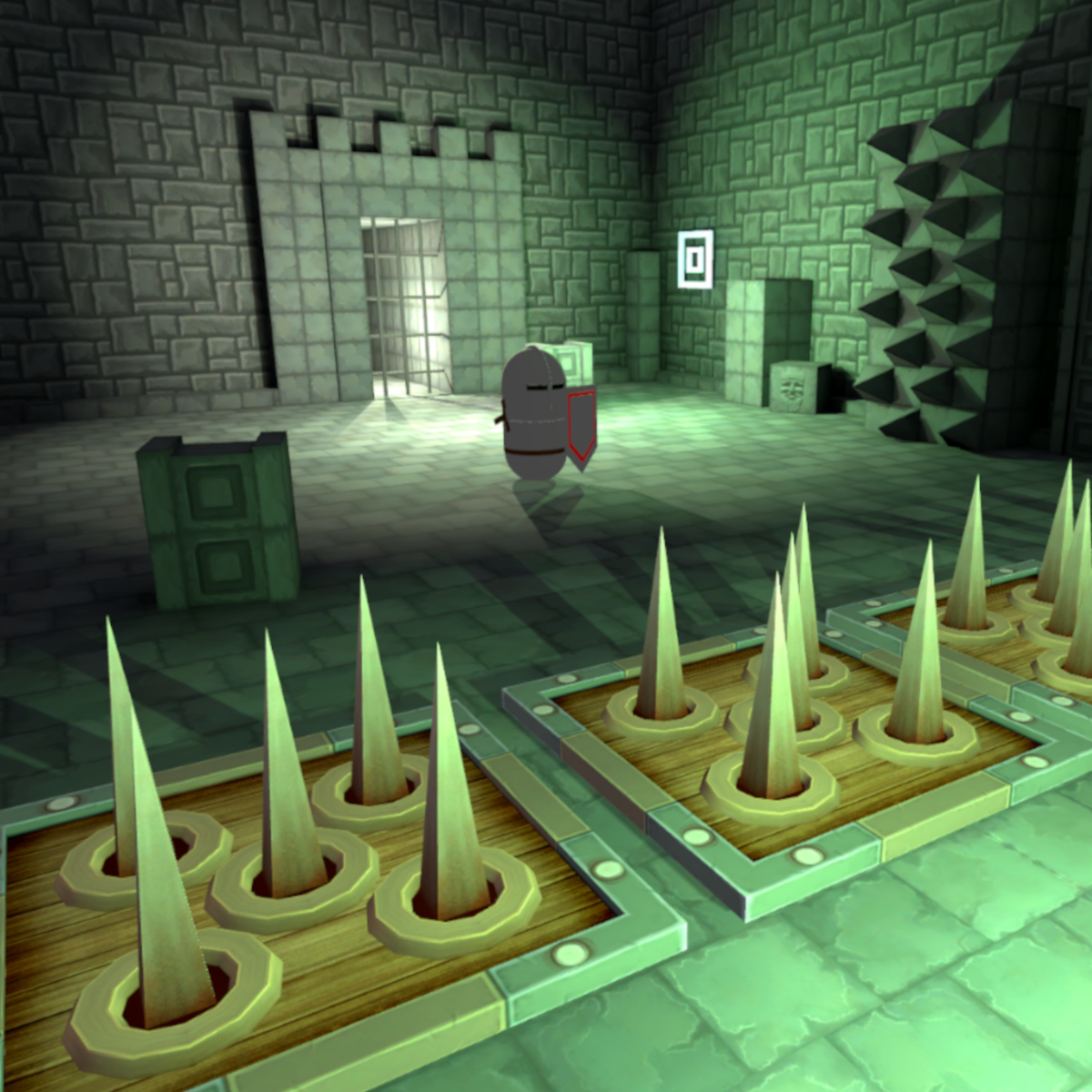
Traps come in different forms and mechanics. They are an ever-present nemesis in adventure and puzzle games and are varied and full of individual tricks that separate one trap from another. But with all its difference, all of it can be traced back to its basic mechanic of catching its prey.

In this one-hour, project-based course, you'll learn how to set up traps, activate them and give the player an opportunity to deactivate them in different ways. You'll also learn the different ways of how objects can either collide and/or interact with each other in Unity and how we can construct a mechanic from it.

Read more

Traps come in different forms and mechanics. They are an ever-present nemesis in adventure and puzzle games and are varied and full of individual tricks that separate one trap from another. But with all its difference, all of it can be traced back to its basic mechanic of catching its prey.

In this one-hour, project-based course, you'll learn how to set up traps, activate them and give the player an opportunity to deactivate them in different ways. You'll also learn the different ways of how objects can either collide and/or interact with each other in Unity and how we can construct a mechanic from it.

The guided project will introduce you to the following Unity concepts:

- Animation

- Triggers

- Colliders

- Simple C# coding techniques

Enroll now

What's inside

Syllabus

Traffic lights

Read about what's good
what should give you pause
and possible dealbreakers
Introduces game design concepts and mechanics for creating trap-based puzzles, including their animation, triggers, colliders, and coding techniques
Teaches foundational Unity concepts for animation, triggers, colliders, and simple C# coding to enable learners to create traps in their own games
Offers project-based learning where learners can immediately apply the concepts and mechanics they learn to create traps in Unity
Taught by Edward Falzon, an experienced game designer and Unity developer
Designed for learners with some experience in Unity and game design

Save this course

Create your own learning path. Save this course to your list so you can find it easily later.
Save

Reviews summary

Hands-on unity c# trap building

According to students, this course is an excellent, bite-sized introduction to designing interactive traps in Unity using C#. Learners praise its highly practical, project-based approach, which delivers immediate results and makes learning easy to follow. The instructor's clear explanations of core Unity concepts like animation, triggers, and colliders are consistently highlighted. It's particularly well-suited for beginners or those seeking a quick refresh on specific game mechanics, offering just enough C# to be effective without overwhelming complexity. This course effectively provides a solid foundation for implementing interactive elements.
Effectively covers animation, triggers, colliders, and basic C# for game interactions.
"It covers the basics of C# scripting within Unity, object interaction, and simple animation for trap design."
"Excellent short course for understanding triggers and colliders in Unity. The C# basics covered were just enough to get the traps working."
"The concepts of animation, triggers, and colliders were explained simply and effectively. A solid foundation builder."
"It demystifies collision detection and interactions. The course is excellent for its length, covering essential Unity features."
Delivers valuable skills and information efficiently within a short timeframe.
"It's concise and well-paced, covering the basics of C# scripting within Unity... Highly recommend for quick practical guide."
"Excellent short course for understanding triggers and colliders in Unity. It's amazing how much you can learn in just one hour."
"For a one-hour course, it packs a lot of valuable information. This is exactly what I needed to understand basic object interactions."
"I was looking for a quick tutorial on specific Unity interactions, and this hit the mark perfectly. It’s short but very effective."
Concepts are explained simply, making complex topics accessible for all learners.
"The instructor explains concepts clearly and the project-based approach is really effective."
"As a complete beginner to Unity, I found this course incredibly helpful. The concepts were explained simply and effectively."
"The demonstrations are easy to follow, and the instructor makes complex topics seem simple. Really good for visual learners."
"The explanations for colliders and triggers were particularly well done. The explanations were simple and easy to grasp."
Highly effective for learning, offering immediate application and results.
"The project-based approach is really effective for learning. Highly recommend for beginners or those looking for a quick practical guide."
"Very hands-on and straight to the point. The instructor guides you through setting up functional traps step-by-step."
"The hands-on coding aspect is brilliant, and the project is well-structured and gives immediate results, which is very motivating."
"The practical examples were very helpful. I liked how it focused on a specific game mechanic, making it easy to follow along."

Activities

Be better prepared before your course. Deepen your understanding during and after it. Supplement your coursework and achieve mastery of the topics covered in Designing Traps with C# in Unity with these activities:
Review Animation Principles in Unity
A quick review will strengthen your understanding of animation concepts and their application in creating traps.
Browse courses on Animation
Show steps
  • Review the principles of animation, such as timing, easing, and keyframing.
  • Practice creating simple animations in Unity.
The Art of Game Design: A Book of Lenses
This book provides a comprehensive overview of game design principles, including trap mechanics and their role in creating engaging gameplay.
Show steps
  • Read the chapters related to trap design and game mechanics.
  • Analyze the examples and case studies presented in the book.
  • Apply the concepts to your own trap designs.
Unity Tutorial: Trap Activating & Deactivating
This tutorial will provide a visual demonstration of essential concepts such as animation, triggers, colliders, and C# coding techniques used in creating traps.
Browse courses on Unity
Show steps
  • Find a suitable Unity tutorial that covers setting up, activating, and deactivating traps.
  • Follow the tutorial steps carefully.
  • Experiment with different trap mechanisms and settings.
Four other activities
Expand to see all activities and additional details
Show all seven activities
Trap Design Discussion Group
Engaging in discussions with peers will expose you to diverse perspectives and enhance your understanding of trap mechanics.
Show steps
  • Join or create a discussion group focused on trap design.
  • Share your ideas and provide feedback on others' designs.
  • Explore different approaches to trap mechanics and game scenarios.
Trap Trigger and Collision Testing
Regular testing will help you identify and resolve any issues with trap activation and deactivation mechanisms.
Browse courses on Triggers
Show steps
  • Create a simple Unity scene with traps.
  • Test different ways to trigger and deactivate the traps.
  • Analyze the results and make adjustments as needed.
Trap Design and Implementation Project
This project will allow you to apply the concepts learned in the course by designing and implementing your own trap in Unity.
Show steps
  • Brainstorm and sketch out your trap design.
  • Create the necessary assets and animations in Unity.
  • Set up the triggers, colliders, and C# scripts to make the trap functional.
  • Test and iterate on your trap design.
Trap Mechanics Presentation
This presentation will help you consolidate your understanding of trap mechanics and effectively communicate your design ideas with others.
Show steps
  • Describe the basic mechanics of your trap.
  • Explain how your trap uses animation, triggers, colliders, and C# coding techniques.
  • Present your trap design and its use in a game context.

Career center

Learners who complete Designing Traps with C# in Unity will develop knowledge and skills that may be useful to these careers:
Game Designer
Game Designers are responsible for coming up with the concepts and rules of video games. They work closely with programmers, artists, and other members of the development team to bring their ideas to life. This course can help you develop the skills you need to become a Game Designer, such as learning how to create interactive traps and puzzles. It can also help you build a portfolio of work that you can showcase to potential employers.
Level Designer
Level Designers are responsible for creating the environments and levels that players explore in video games. They work closely with Game Designers to bring their ideas to life. This course can help you develop the skills you need to become a Level Designer, such as learning how to create interactive traps and puzzles. It can also help you build a portfolio of work that you can showcase to potential employers.
Technical Artist
Technical Artists are responsible for creating the technical aspects of video games, such as the graphics, animation, and sound effects. They work closely with Game Designers and Level Designers to bring their ideas to life. This course can help you develop the skills you need to become a Technical Artist, such as learning how to create interactive traps and puzzles. It can also help you build a portfolio of work that you can showcase to potential employers.
Programmer
Programmers are responsible for writing the code that brings video games to life. They work closely with Game Designers and Level Designers to bring their ideas to life. This course can help you develop the skills you need to become a Programmer, such as learning how to create interactive traps and puzzles. It can also help you build a portfolio of work that you can showcase to potential employers.
Animator
Animators are responsible for creating the animations that bring video games to life. They work closely with Game Designers and Level Designers to bring their ideas to life. This course can help you develop the skills you need to become an Animator, such as learning how to create interactive traps and puzzles. It can also help you build a portfolio of work that you can showcase to potential employers.
Sound Designer
Sound Designers are responsible for creating the sound effects and music that bring video games to life. They work closely with Game Designers and Level Designers to bring their ideas to life. This course can help you develop the skills you need to become a Sound Designer, such as learning how to create interactive traps and puzzles. It can also help you build a portfolio of work that you can showcase to potential employers.
Game Tester
Game Testers are responsible for testing video games to find bugs and errors. They work closely with Game Designers and Level Designers to bring their ideas to life. This course can help you develop the skills you need to become a Game Tester, such as learning how to create interactive traps and puzzles. It can also help you build a portfolio of work that you can showcase to potential employers.
Game Writer
Game Writers are responsible for writing the story and dialogue for video games. They work closely with Game Designers and Level Designers to bring their ideas to life. This course can help you develop the skills you need to become a Game Writer, such as learning how to create interactive traps and puzzles. It can also help you build a portfolio of work that you can showcase to potential employers.
Game Producer
Game Producers are responsible for managing the development of video games. They work closely with Game Designers, Level Designers, and other members of the development team to bring their ideas to life. This course can help you develop the skills you need to become a Game Producer, such as learning how to create interactive traps and puzzles. It can also help you build a portfolio of work that you can showcase to potential employers.
Game Marketing Manager
Game Marketing Managers are responsible for promoting and selling video games. They work closely with Game Designers and Level Designers to bring their ideas to life. This course can help you develop the skills you need to become a Game Marketing Manager, such as learning how to create interactive traps and puzzles. It can also help you build a portfolio of work that you can showcase to potential employers.
Game Localization Manager
Game Localization Managers are responsible for translating video games into different languages. They work closely with Game Designers and Level Designers to bring their ideas to life. This course can help you develop the skills you need to become a Game Localization Manager, such as learning how to create interactive traps and puzzles. It can also help you build a portfolio of work that you can showcase to potential employers.
Game Community Manager
Game Community Managers are responsible for building and maintaining relationships with video game players. They work closely with Game Designers and Level Designers to bring their ideas to life. This course can help you develop the skills you need to become a Game Community Manager, such as learning how to create interactive traps and puzzles. It can also help you build a portfolio of work that you can showcase to potential employers.
Game Data Analyst
Game Data Analysts are responsible for collecting and analyzing data about video games. They work closely with Game Designers and Level Designers to bring their ideas to life. This course can help you develop the skills you need to become a Game Data Analyst, such as learning how to create interactive traps and puzzles. It can also help you build a portfolio of work that you can showcase to potential employers.
Game UX Designer
Game UX Designers are responsible for designing the user experience for video games. They work closely with Game Designers and Level Designers to bring their ideas to life. This course can help you develop the skills you need to become a Game UX Designer, such as learning how to create interactive traps and puzzles. It can also help you build a portfolio of work that you can showcase to potential employers.
Game QA Tester
Game QA Testers are responsible for testing video games to find bugs and errors. They work closely with Game Designers and Level Designers to bring their ideas to life. This course can help you develop the skills you need to become a Game QA Tester, such as learning how to create interactive traps and puzzles. It can also help you build a portfolio of work that you can showcase to potential employers.

Reading list

We've selected eight books that we think will supplement your learning. Use these to develop background knowledge, enrich your coursework, and gain a deeper understanding of the topics covered in Designing Traps with C# in Unity.
Provides a comprehensive overview of game design, covering a wide range of topics, including game mechanics, level design, and user experience. It valuable resource for students and professionals who want to develop their skills in game design.
Provides a comprehensive overview of game design using Unity, covering essential concepts such as game mechanics, level design, and user experience. It valuable resource for students and professionals who want to develop their skills in game design.
Provides a comprehensive overview of game feel, covering a wide range of topics, including game mechanics, level design, and user experience. It valuable resource for students and professionals who want to develop their skills in game design.
Provides a comprehensive overview of level design, covering a wide range of topics, including level design principles, level editing, and level testing. It valuable resource for students and professionals who want to develop their skills in level design.
Provides hands-on guidance on using Unity to create 2D and 3D games. It covers a wide range of topics, including game development principles, scripting, animation, and physics. It great resource for beginners who want to get started with game development in Unity.
Provides a comprehensive overview of mobile game development in Unity. It covers a wide range of topics, including mobile game design, performance optimization, and monetization. It valuable resource for developers who want to create mobile games in Unity.

Share

Help others find this course page by sharing it with your friends and followers:

Similar courses

Similar courses are unavailable at this time. Please try again later.
Our mission

OpenCourser helps millions of learners each year. People visit us to learn workspace skills, ace their exams, and nurture their curiosity.

Our extensive catalog contains over 50,000 courses and twice as many books. Browse by search, by topic, or even by career interests. We'll match you to the right resources quickly.

Find this site helpful? Tell a friend about us.

Affiliate disclosure

We're supported by our community of learners. When you purchase or subscribe to courses and programs or purchase books, we may earn a commission from our partners.

Your purchases help us maintain our catalog and keep our servers humming without ads.

Thank you for supporting OpenCourser.

© 2016 - 2025 OpenCourser