We may earn an affiliate commission when you visit our partners.
Course image
Priya Jha

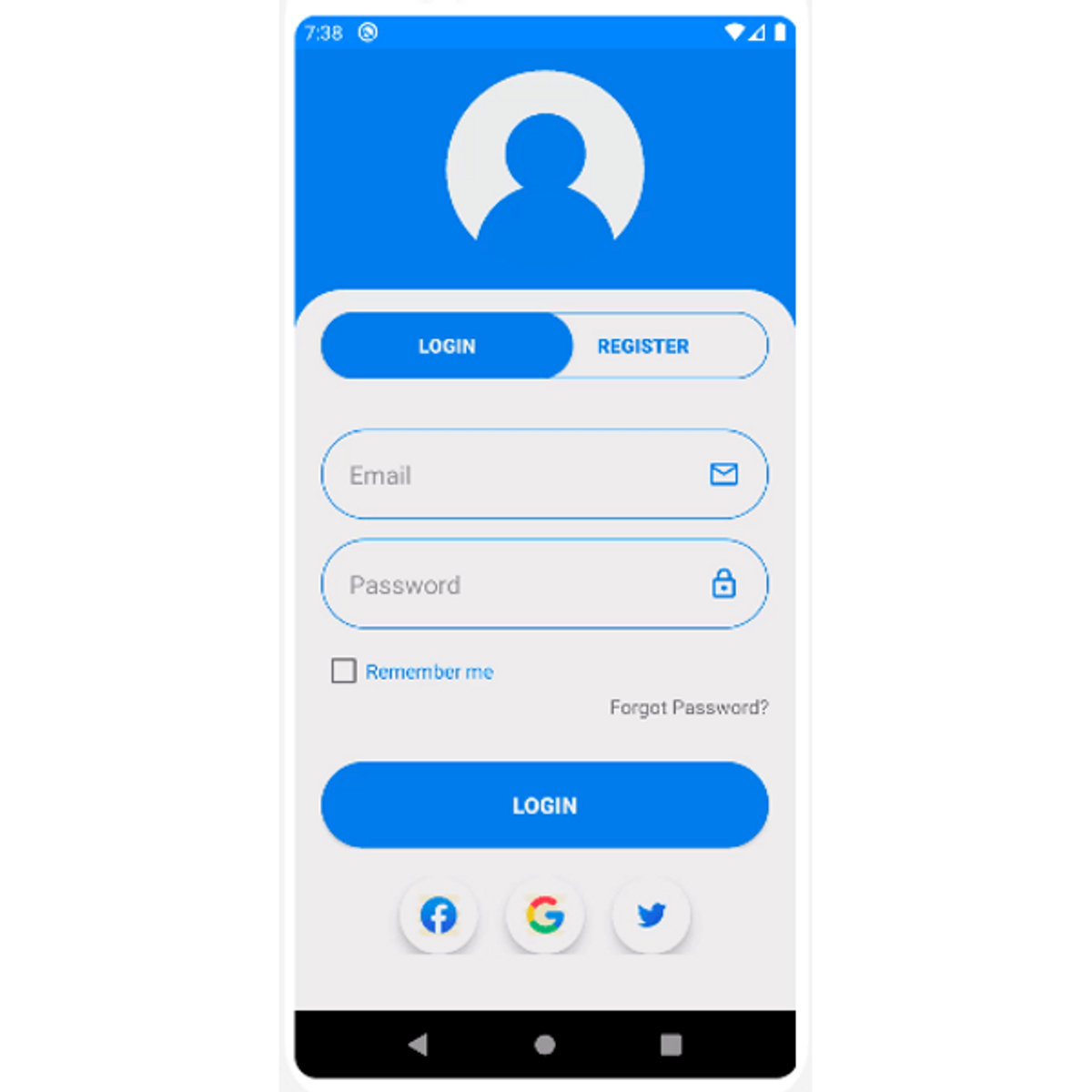
In this 1-hour long project-based course, you will learn to design a Login/Register UI page in Android using Linear Layout. You will learn to design login and register page ,learn to use Linear Layout, import all the necessary vector asset icons ,create background for buttons, style the page, switch between the activities and lastly you will learn to build the apk file and simulate the app on an online android emulator.

Basics of Android design concepts is required.

Read more

In this 1-hour long project-based course, you will learn to design a Login/Register UI page in Android using Linear Layout. You will learn to design login and register page ,learn to use Linear Layout, import all the necessary vector asset icons ,create background for buttons, style the page, switch between the activities and lastly you will learn to build the apk file and simulate the app on an online android emulator.

Basics of Android design concepts is required.

Note: This course works best for learners who are based in the North America region. We’re currently working on providing the same experience in other regions.

Enroll now

What's inside

Syllabus

Traffic lights

Read about what's good
what should give you pause
and possible dealbreakers
Teaches how to design a Login/Register UI. for beginners in Android
Develops essential skills in Linear Layout, and UI design in Android
Teaches how to use essential vector asset icons commonly used in Android app development
Develops essential skills in styling and theming in Android
Develops essential skills in working with multiple activities in Android
Teaches how to build an apk file and simulate an Android app on an android emulator

Save this course

Create your own learning path. Save this course to your list so you can find it easily later.
Save

Reviews summary

Practical android ui with linear layout

According to students, this concise, project-based course provides a practical introduction to designing a Login/Register UI in Android using Linear Layout. Many find the instructor's guidance clear and precise, making it a highly effective way to learn by doing and build confidence, especially for those looking for quick skill acquisition. Learners particularly appreciate the hands-on activities like importing vector assets, styling pages, and building an APK. However, a notable portion of reviewers experienced challenges with the course's pacing, which can be too fast. More critically, some recent feedback indicates issues with outdated instructions, particularly regarding online emulator setup and matching specific assets, which can lead to troubleshooting difficulties. While the course delivers on its core promise, potential learners should be aware of these technical friction points.
Might be challenging for absolute Android newcomers.
"My only minor gripe is that it assumes some previous Android experience, which might be a barrier for absolute newcomers..."
"While it's short, a basic understanding of Android Studio is definitely helpful before starting."
"Good for getting a quick overview of UI design... but it might be better for someone with existing Android knowledge."
The instructor's guidance is precise and easy to follow.
"The steps were super clear, especially for using Linear Layout and styling."
"The instructor breaks down complex steps into easily digestible parts."
"Perfect quick project. The instructor was clear, and I learned a lot about Linear Layout..."
"The instructor's guidance on Linear Layout was precise, and the practical application... was very beneficial."
A hands-on approach for building a functional Android UI.
"This project was exactly what I needed to quickly get a login/register UI up and running."
"It truly helps you build confidence in Android UI development. Great practical project."
"The ability to build an APK and test it immediately made the learning highly effective."
"I learned a lot about Linear Layout and basic Android UI elements... a great way to build a small project quickly."
The course moves quickly, sometimes requiring pauses.
"I found the pace a bit fast at times, especially when switching between activities."
"I struggled with this course... The pace was also quite rushed for me."
"I found myself constantly pausing and rewinding because the pace was too quick."
"For a 1-hour course, it packs a lot in. Some parts were very fast, but I could rewatch."
Users faced difficulty setting up and troubleshooting the online emulator.
"The emulator instructions were a bit tricky for me, and some of the assets didn't quite match."
"I struggled with this course... I couldn't get the project to run successfully."
"The online emulator setup was a headache, and I couldn't replicate the instructor's results easily."
"Many of the instructions were outdated, especially concerning the online emulator setup and importing vector assets."
Some setup instructions and assets may be outdated.
"It feels a little dated in terms of Android best practices, but still functional."
"This course was a waste of my time. Many of the instructions were outdated, especially concerning the online emulator setup..."
"Some of the resources mentioned seemed outdated or hard to find."
"The course is functional but some of the tools or versions used seem a little old."

Activities

Be better prepared before your course. Deepen your understanding during and after it. Supplement your coursework and achieve mastery of the topics covered in Design a Login/Register UI in Android using Linear layout with these activities:
Study Groups
Collaborate with peers to reinforce concepts, share knowledge, and address challenges.
Show steps
  • Form a study group with classmates or online learners.
  • Organize regular sessions to discuss course material, practice exercises, and share ideas.
Coding Exercises
Enhance coding skills by completing exercises and challenges related to Android development.
Browse courses on Android Development
Show steps
  • Find online coding platforms or resources that provide Android-specific exercises.
  • Attempt coding challenges related to UI design, such as implementing custom layouts or handling user input.
Guided Tutorials
Solidify knowledge of Linear Layout by following hands-on, step-by-step tutorials.
Browse courses on Linear Layout
Show steps
  • Identify a resource that offers guided tutorials with step-by-step instructions.
  • Follow the tutorial to design a simple login/register UI page using Linear Layout.
  • Optional: Attempt designing more complex UI pages using the guidance provided in the tutorial.
Two other activities
Expand to see all activities and additional details
Show all five activities
Android Development Workshop
Gain practical experience and enhance knowledge through a focused workshop on Android development.
Browse courses on Android Development
Show steps
  • Identify and register for an Android development workshop in your area or online.
  • Attend the workshop and actively participate in the hands-on activities and discussions.
  • Network with other attendees and industry professionals.
Mini Project
Apply course concepts to build a personal Android app project to solidify knowledge.
Show steps
  • Ideate and plan a small-scale Android application that aligns with your interests or course objectives.
  • Design the UI and implement the functionality using Linear Layout.
  • Test and iterate on your project to refine its functionality and design.

Career center

Learners who complete Design a Login/Register UI in Android using Linear layout will develop knowledge and skills that may be useful to these careers:
Android Developer
With the knowledge gained from the course on designing a Login/Register UI in Android using Linear Layout, you can become an Android Developer. This course provides the foundation needed to create user interfaces for Android applications. You will learn to use Linear Layout, import vector asset icons, create button backgrounds, and style pages. This knowledge is essential for Android Developers who want to create visually appealing and user-friendly applications. This skill set gives you an advantage in the tech industry and can open doors to exciting career opportunities.
UI Designer
The course on designing a Login/Register UI in Android using Linear Layout is highly relevant to the role of a UI Designer. This course introduces you to the basics of Android design and provides hands-on experience in creating a user interface for an Android application. You will learn to use Linear Layout, import vector asset icons, and style pages – all essential skills for UI Designers. By taking this course, you will build a strong foundation for a successful career in UI Design.
Front-End Developer
As a Front-end Developer, you will be responsible for designing and developing the user interface of websites and applications. The course on designing a Login/Register UI in Android using Linear Layout provides valuable knowledge and skills that are directly applicable to this role. You will learn about Linear Layout, vector asset icons, and page styling – all essential concepts for creating visually appealing and user-friendly front-end designs. This course can help you build a solid foundation for a successful career as a Front-end Developer.
Product Designer
Product Designers are responsible for designing and developing the overall user experience of products. The course on designing a Login/Register UI in Android using Linear Layout provides valuable knowledge and skills that are directly applicable to this role. You will learn about user interface design principles, Linear Layout, vector asset icons, and page styling – all essential concepts for creating user-friendly and visually appealing products. This course can help you build a solid foundation for a successful career as a Product Designer.
UX Designer
UX Designers are responsible for designing and evaluating the user experience of websites, applications, and other digital products. The course on designing a Login/Register UI in Android using Linear Layout provides valuable knowledge and skills that are directly applicable to this role. You will learn about user interface design principles, Linear Layout, vector asset icons, and page styling – all essential concepts for creating user-friendly and visually appealing products. This course can help you build a solid foundation for a successful career as a UX Designer.
Interaction Designer
Interaction Designers are responsible for designing the interactions between users and digital products. The course on designing a Login/Register UI in Android using Linear Layout provides valuable knowledge and skills that are directly applicable to this role. You will learn about user interface design principles, Linear Layout, vector asset icons, and page styling – all essential concepts for creating user-friendly and visually appealing products. This course can help you build a solid foundation for a successful career as an Interaction Designer.
Visual Designer
Visual Designers are responsible for creating the visual elements of websites, applications, and other digital products. The course on designing a Login/Register UI in Android using Linear Layout provides valuable knowledge and skills that are directly applicable to this role. You will learn about user interface design principles, Linear Layout, vector asset icons, and page styling – all essential concepts for creating visually appealing products. This course can help you build a solid foundation for a successful career as a Visual Designer.
Web Designer
Web Designers are responsible for designing and developing websites. The course on designing a Login/Register UI in Android using Linear Layout provides valuable knowledge and skills that may be helpful in this role. You will learn about user interface design principles, Linear Layout, vector asset icons, and page styling – all essential concepts for creating user-friendly and visually appealing websites. This course can help you build a foundation for a successful career as a Web Designer.
Software Engineer
Software Engineers are responsible for designing, developing, and maintaining software applications. The course on designing a Login/Register UI in Android using Linear Layout provides valuable knowledge and skills that may be helpful in this role. You will learn about user interface design principles, Linear Layout, vector asset icons, and page styling – all essential concepts for creating user-friendly and visually appealing software applications. This course can help you build a foundation for a successful career as a Software Engineer.
Mobile Developer
Mobile Developers are responsible for designing and developing mobile applications. The course on designing a Login/Register UI in Android using Linear Layout provides valuable knowledge and skills that may be helpful in this role. You will learn about user interface design principles, Linear Layout, vector asset icons, and page styling – all essential concepts for creating user-friendly and visually appealing mobile applications. This course can help you build a foundation for a successful career as a Mobile Developer.
Game Designer
Game Designers are responsible for designing and developing video games. The course on designing a Login/Register UI in Android using Linear Layout may be helpful in this role as it provides knowledge and skills in user interface design principles and visual design. Understanding how to create user-friendly and visually appealing interfaces is important for game design. This course can help you build a foundation for a successful career as a Game Designer.
Graphic Designer
Graphic Designers are responsible for creating visual concepts, using computer software or by hand, to communicate ideas that inspire, inform, and captivate consumers. The course on designing a Login/Register UI in Android using Linear Layout may be helpful in this role as it provides knowledge and skills in visual design and user interface design principles. Understanding how to create visually appealing and user-friendly interfaces is important for graphic design. This course can help you build a foundation for a successful career as a Graphic Designer.
Product Manager
Product Managers are responsible for defining the vision, roadmap, and features of a product. The course on designing a Login/Register UI in Android using Linear Layout may be helpful in this role as it provides knowledge and skills in user interface design principles and user experience. Understanding how users interact with products and how to create user-friendly and visually appealing interfaces is important for product management. This course can help you build a foundation for a successful career as a Product Manager.
Technical Writer
Technical Writers are responsible for creating user manuals, instructional materials, and other documentation to help users understand and use products and services. The course on designing a Login/Register UI in Android using Linear Layout may be helpful in this role as it provides knowledge and skills in user interface design principles and user experience. Understanding how users interact with products and how to create user-friendly and visually appealing interfaces is important for technical writing. This course can help you build a foundation for a successful career as a Technical Writer.
Instructional Designer
Instructional Designers are responsible for creating and developing educational materials and programs. The course on designing a Login/Register UI in Android using Linear Layout may be helpful in this role as it provides knowledge and skills in user interface design principles and user experience. Understanding how users interact with products and how to create user-friendly and visually appealing interfaces is important for instructional design. This course can help you build a foundation for a successful career as an Instructional Designer.

Reading list

We've selected seven books that we think will supplement your learning. Use these to develop background knowledge, enrich your coursework, and gain a deeper understanding of the topics covered in Design a Login/Register UI in Android using Linear layout.
Will be a very helpful reference for completing this course. It great book for beginners and experienced Android developers alike.
A good reference book for learning about the fundamentals of Android development. It can be used to supplement the parts of this course that cover core Android concepts.
A good book for students who want to practice their Android development skills. It provides step-by-step instructions for building 10 different Android apps.
A good book for learning about the security architecture of Android. It can be used as a reference for students interested in learning more about Android security.

Share

Help others find this course page by sharing it with your friends and followers:

Similar courses

Similar courses are unavailable at this time. Please try again later.
Our mission

OpenCourser helps millions of learners each year. People visit us to learn workspace skills, ace their exams, and nurture their curiosity.

Our extensive catalog contains over 50,000 courses and twice as many books. Browse by search, by topic, or even by career interests. We'll match you to the right resources quickly.

Find this site helpful? Tell a friend about us.

Affiliate disclosure

We're supported by our community of learners. When you purchase or subscribe to courses and programs or purchase books, we may earn a commission from our partners.

Your purchases help us maintain our catalog and keep our servers humming without ads.

Thank you for supporting OpenCourser.

© 2016 - 2025 OpenCourser