April 2, 2024
Updated May 20, 2025
16 minute read

Navigating the World of Data Entry: A Comprehensive Career Guide
A Data Entry Clerk is a professional responsible for inputting, updating, and maintaining information in computer systems and databases. This role is foundational in many organizations, ensuring that data is accurate, organized, and readily accessible. In essence, data entry clerks are the meticulous guardians of information, transforming raw data from various sources like paper documents or digital files into structured, usable formats.
Working as a Data Entry Clerk can be an engaging start to a career in various data-centric or administrative fields. The role often provides a clear view of how information flows within an organization and highlights the importance of precision and efficiency. For individuals who appreciate order, accuracy, and contributing to the smooth functioning of a business, this career can offer a satisfying path with opportunities for growth and specialization.
Introduction to Data Entry Clerk
This article delves into the multifaceted career of a Data Entry Clerk. We will explore the day-to-day responsibilities, essential skills, educational pathways, and potential career trajectories. Whether you are a student exploring future options, an individual considering a career change, or a professional seeking to understand this vital role, this guide aims to provide a comprehensive overview to help you determine if a career as a Data Entry Clerk aligns with your aspirations.
Definition and Role in Modern Organizations
A Data Entry Clerk is tasked with the critical responsibility of transcribing information into electronic formats. This includes inputting new data, updating existing records, and verifying the accuracy and completeness of information. They are the backbone of an organization's information systems, ensuring that databases and records are meticulously maintained. This precise work forms the foundation upon which companies make informed decisions and maintain effective operations.
ekubh2|
Find a path to becoming a Data Entry Clerk. Learn more at:
OpenCourser.com/career/ekubh2/data
Reading list
We've selected some books
that we think will supplement your
learning. Use these to
develop background knowledge, enrich your coursework, and gain a
deeper understanding of the topics covered in
Data Entry Clerk.
Official onboarding documentation from The Document Foundation introduces the entire open-source office suite in a single cohesive reference. Newcomers learn interface customization, OpenDocument file management, PDF export, and core workflows across Writer, Calc, Impress, Draw, Base, and Math.
This comprehensive guide covers a vast range of Excel 365 features, including detailed explanations of formulas and functions like VLOOKUP and its modern counterparts. It serves as an excellent reference for users of all levels, providing both foundational knowledge and in-depth coverage of advanced topics. Its breadth makes it a valuable resource for gaining a broad understanding and deepening knowledge, and it is often used by professionals.
Universal Network Objects (UNO) architecture and Basic macro scripting remain the foundation of advanced LibreOffice automation. Andrew Pitonyak provides hundreds of tested code listings for manipulating text cursors, spreadsheet ranges, database connections, and custom dialogs.
Style-driven word processing lies at the heart of LibreOffice Writer, inherited directly from OpenOffice.org. Longtime LibreOffice documentation lead Jean Hollis Weber teaches master documents, page styles, cross-references, and reusable templates for complex reports.
Spreadsheet automation in Calc relies on the UNO object model and Basic scripting syntax pioneered in OpenOffice.org. Mark Alexander Bain walks developers through cell listeners, custom spreadsheet functions, dynamic charts, and automated database queries.
Focused on applying Excel for data analysis and business modeling, this book includes the use of lookup functions like VLOOKUP in practical scenarios. It's suitable for users who want to see how VLOOKUP fits into larger data analysis tasks. is often used in business and data analysis programs at the undergraduate and graduate levels.
Comprehensive guide to personal productivity, based on the Getting Things Done (GTD) methodology. It offers a step-by-step process for capturing, organizing, and completing tasks, helping individuals achieve greater clarity, focus, and productivity.
Comprehensive cross-suite training bridges Writer, Calc, Impress, Draw, Base, and Math for users migrating from proprietary office suites. Andy Channelle covers file compatibility, mail merge, PivotTable equivalents, and everyday productivity shortcuts shared with LibreOffice.
This updated version covers formulas and functions in Excel for Microsoft 365, including newer functions that complement or replace VLOOKUP. It's a good resource for contemporary topics and provides clear explanations for a broad audience.
Dives deep into a wide array of Excel formulas, providing a thorough understanding of their usage and potential combinations. It would cover VLOOKUP extensively and show how to use it with other functions for more complex tasks, ideal for deepening understanding.
Programmatic batch processing of spreadsheets, CSV files, Word/OpenDocument texts, and PDFs extends office productivity far beyond manual clicking. Al Sweigart teaches non-programmers how to write Python scripts that populate reports and clean tabular data automatically.
Practical typographic rules turn ordinary LibreOffice Writer reports and Impress slides into readable publications. Elliot Jay Stocks and Ellen Lupton distill one hundred concepts covering grid alignment, font pairing, kerning, tables, and visual hierarchy.
Appears to directly address data entry practices, focusing on efficiency and accuracy. It would likely provide valuable insights into best practices and foundational concepts for effective data entry within an organizational context.
This guide focuses on using Excel for data analysis tasks, incorporating functions like VLOOKUP within that context. It helps users understand how to apply VLOOKUP for practical data manipulation and analysis. It's a good resource for those looking to apply their VLOOKUP knowledge in a data analysis setting.
OpenDocument Format (ODF) XML internals govern every file saved by LibreOffice Writer, Calc, and Impress. J. David Eisenberg demonstrates how developers inspect.odt and.ods zip archives, read content.xml schemas, and generate documents with XSLT.
Organizational adoption of open-source suites like LibreOffice requires clear governance alongside desktop training. Vicky Brasseur explains licensing compliance, vendor-lock-in mitigation, support workflows, and sustainable open-source strategy for teams.
Hands-on administrative recipes and migration checklists help power users transition smoothly out of proprietary office ecosystems. Solveig Haugland details advanced formatting, conditional styles, data pilot tables, and template libraries that carry directly into LibreOffice.
A slightly older but still relevant comprehensive guide to Excel 2019, covering VLOOKUP and many other functions and features. It's a strong resource for gaining a broad understanding and serves as a solid reference. While not the most current for the very latest features, it remains a valuable resource for core Excel knowledge.
Comprehensive guide to Microsoft Excel, a primary tool for data entry and management. It covers everything from basic formulas and formatting to advanced topics like pivot tables and data analysis. While a bit older, the core concepts remain highly relevant for anyone performing data entry in Excel. It serves as an excellent reference for solidifying understanding of spreadsheet-based data handling.
Is specifically dedicated to mastering the VLOOKUP function. It provides a step-by-step approach with examples, making it excellent for beginners or those who want to focus solely on VLOOKUP to solidify their understanding. It serves as a focused tutorial.
Independent authors can produce print-ready manuscripts without expensive desktop publishing software. Harwood Loomis walks writers step by step through mirror margins, running headers, front matter pagination, and commercial PDF export inside LibreOffice Writer.
Master documents, automated tables of contents, mail merge, track changes, and scholarly indexing receive exhaustive coverage in the official Writer manual. Technical editors and long-form writers gain authoritative reference workflows for structured LibreOffice documents.
This in-depth reference for Excel 2019 covers a wide range of features, including detailed explanations of formulas and functions. It's suitable for users looking for a comprehensive understanding and troubleshooting tips. It can serve as a valuable reference tool.
Relational table design, SQL query construction, custom data-entry forms, and Report Builder layouts turn LibreOffice Base into a capable desktop front end. Official documentation covers embedded Firebird and HSQLDB engines plus external PostgreSQL and MariaDB connections.
Focusing on Google Sheets, another popular spreadsheet tool highlighted in the course list, this book provides a step-by-step guide for beginners. It covers fundamental concepts and progresses to more advanced functions, directly supporting the skills needed for data entry and basic data management in Google Sheets.
Database modeling fundamentals make the difference between fragile spreadsheets and maintainable LibreOffice Base applications. Qiang Hao illustrates entity-relationship diagrams, normalization, foreign keys, and SQL queries with clear worked examples.
Provides a comprehensive overview of digital image processing techniques. It covers a wide range of topics, including image enhancement, restoration, segmentation, and recognition. It valuable resource for anyone who wants to learn more about the image processing techniques used in OCR.
Advocates for the principle of essentialism, which involves focusing on the most important tasks and eliminating non-essential activities. It offers practical tools and techniques for identifying priorities, making tough choices, and achieving greater productivity by doing less.
Addresses the issue of procrastination, providing a structured program for overcoming it and developing a habit of action. It offers practical techniques for setting goals, breaking down tasks, and overcoming resistance, helping individuals achieve greater productivity and reduce stress.
Provides a comprehensive overview of computer vision techniques. It covers a wide range of topics, including image formation, feature detection, object recognition, and motion analysis. It valuable resource for anyone who wants to learn more about the computer vision techniques used in OCR.
Provides a comprehensive overview of OCR techniques. It covers a wide range of topics, including pre-processing, feature extraction, classification, and post-processing. It valuable resource for anyone who wants to learn more about the state-of-the-art in OCR.
Offers a fast-paced introduction to Excel, suitable for beginners. It covers essential skills like organizing data, creating tables, and using formulas and shortcuts. This great resource for those new to spreadsheets who need to quickly gain proficiency in data entry tasks within Excel.
Visual design principles of contrast, repetition, alignment, and proximity immediately elevate LibreOffice Impress slide decks. Robin Williams uses concise before-and-after slide makeovers to teach clear hierarchy, typography, and uncluttered layouts.
A step-by-step approach to learning Excel 2019, this book is suitable for beginners and those who prefer a structured learning format. It covers the essential features needed for data entry and basic spreadsheet management.
Offers broad coverage of many Excel features, including formulas and functions. It provides a good starting point for beginners to gain a general understanding of Excel, including basic lookup capabilities like VLOOKUP. It's a useful introductory resource.
Another practical guide focusing on business and financial modeling with Excel. It emphasizes a structured approach and would incorporate relevant Excel functions for these tasks. Useful for applying VLOOKUP and other functions in a business context.
Accessible macro tutorials help everyday LibreOffice users automate repetitive Writer and Calc tasks without wading through dense API specifications. Christopher Topalian introduces scripting patterns, event triggers, and practical automation snippets step by step.
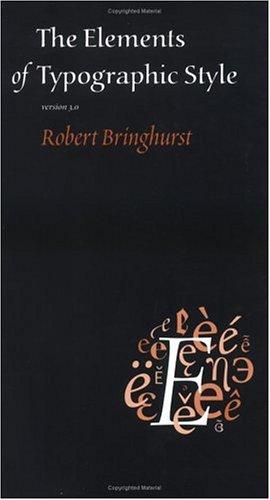
Typographic proportion, page margins, rhythm, and OpenType glyph selection inform anyone using LibreOffice Writer for book publishing or scholarly typesetting. Robert Bringhurst's masterwork supplies the aesthetic rationale behind professional paragraph and page styles.
This concise guide focuses on the core concepts and methods of financial modeling in Excel. It would include the application of relevant Excel functions, likely including VLOOKUP, within financial modeling contexts. It's a good resource for students and professionals in finance.
While focused on financial modeling, this book utilizes Excel functions, including lookup functions, within a financial context. It's valuable for those in finance who need to use VLOOKUP for financial analysis and modeling. is often used in finance programs and by finance professionals.
Explores the science of distraction and provides strategies for overcoming it. It offers a framework for identifying and eliminating distractions, building habits that support focus, and achieving greater productivity and fulfillment.
A widely used textbook, this book provides a strong foundation in database concepts, including data modeling, relational databases, and SQL. Understanding these fundamentals is increasingly important as data entry often feeds into database systems. is valuable for both students and professionals seeking a deeper understanding of the underlying data structures.
Provides a comprehensive overview of pattern recognition and machine learning techniques. It covers a wide range of topics, including OCR, image processing, and natural language processing. It valuable resource for anyone who wants to learn more about the theoretical foundations of OCR.
While data entry often involves spreadsheets, understanding database fundamentals is crucial for many roles. provides a non-technical introduction to database design, which is highly relevant for understanding how data is structured and managed in more complex systems beyond simple spreadsheets. It's valuable for broadening one's understanding of data handling.
Focuses on Pivot Tables, a powerful tool for data analysis in Excel. While not directly about VLOOKUP, Pivot Tables are often used for similar data consolidation and analysis tasks. Understanding Pivot Tables provides a different perspective on handling data that complements VLOOKUP knowledge.
Provides practical examples of building financial models in Excel 2019. It would involve using various Excel functions, including potentially VLOOKUP, in a financial modeling context. It's a hands-on approach for applying Excel skills in finance.
This guide provides practical best practices for data cleaning, addressing issues that can arise during and after data collection and entry. It's a valuable resource for ensuring data quality, which is paramount for reliable analysis and decision-making.
Data cleaning crucial step that often follows data entry to ensure accuracy and consistency. focuses on statistical methods for data cleaning using R. While potentially more advanced, it's highly relevant for understanding the importance of clean data and techniques for achieving it, particularly for those moving into data analysis roles.
Focuses on using Excel for statistical analysis, which often involves data lookup and manipulation. While not solely about VLOOKUP, it demonstrates how lookup functions can be applied in a statistical context. It's useful for those needing to perform statistical analysis in Excel.
For more information about how these books relate to this course, visit:
OpenCourser.com/career/ekubh2/data

 Save